Introducing Xoodal 1.0
A calmer way to
browse
Meet Xoodal. A web browser designed to clear the clutter, summarize the noise, and keep you focused on what actually matters.
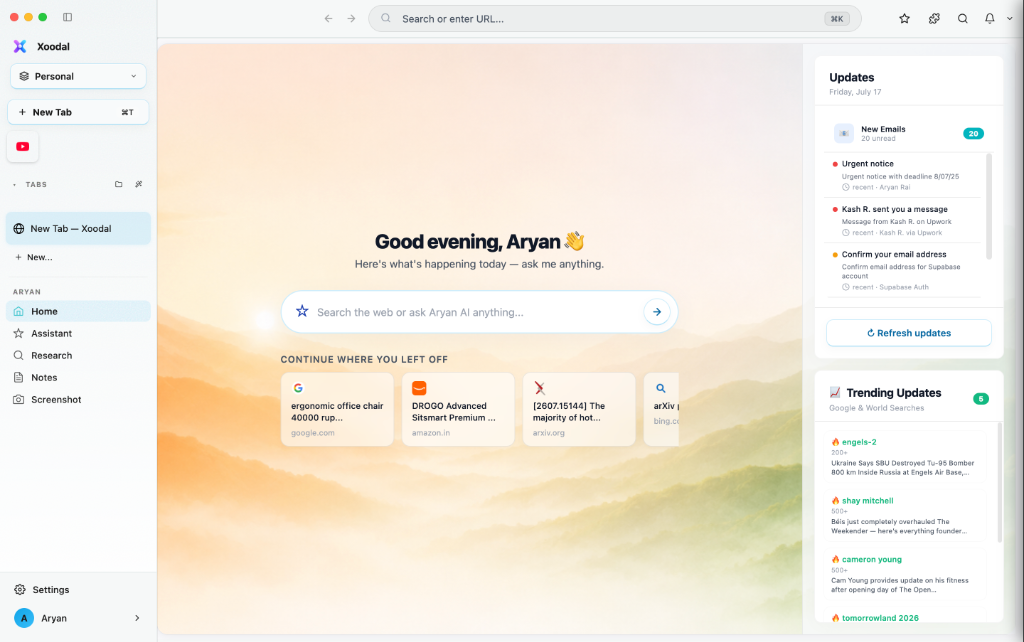
Meet Xoodal. A web browser designed to clear the clutter, summarize the noise, and keep you focused on what actually matters.
Every pixel, every interaction, every feature designed around intelligence. This is what browsing was always meant to feel like.
Your intelligent co-pilot. Ask anything about any page. Get summaries, translations, code explanations and more — all without leaving your browser.
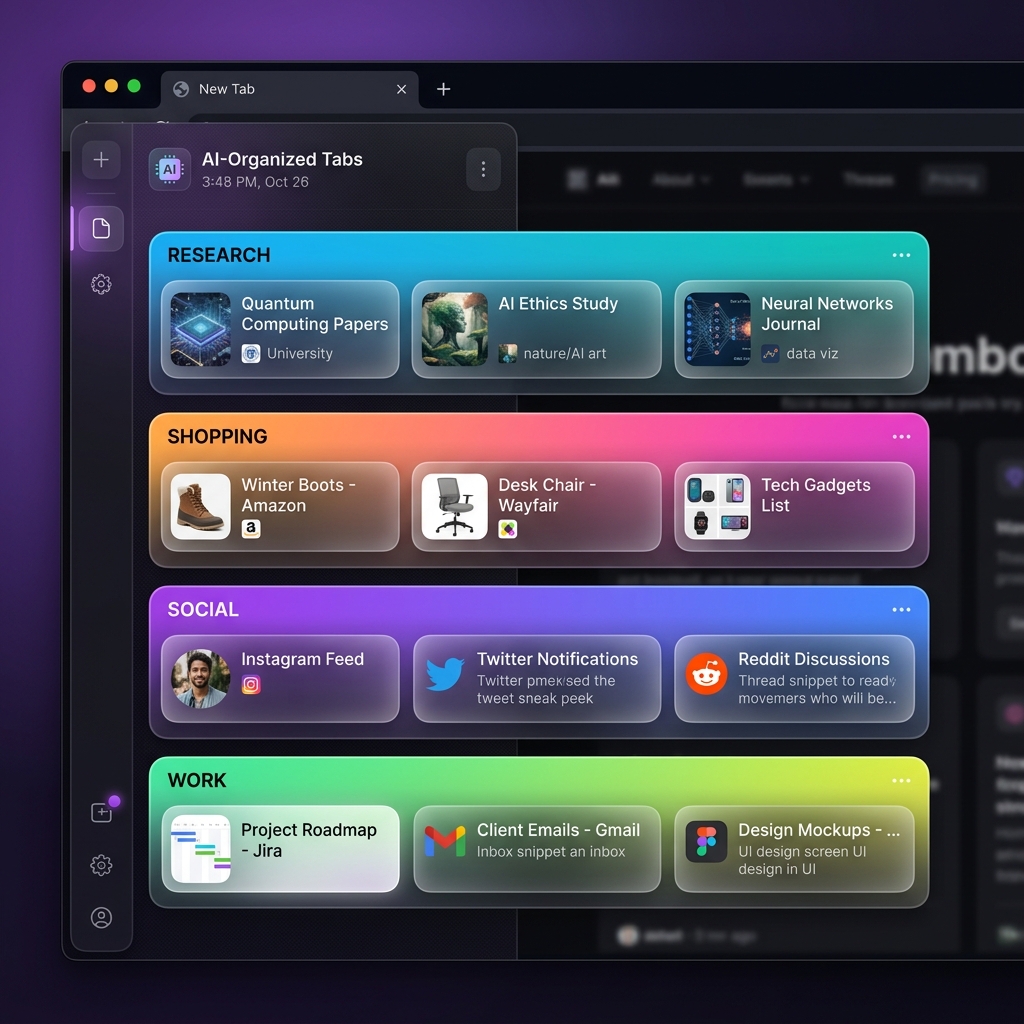
AI automatically organizes your tabs by topic. Research, Shopping, Work — always sorted, never cluttered.
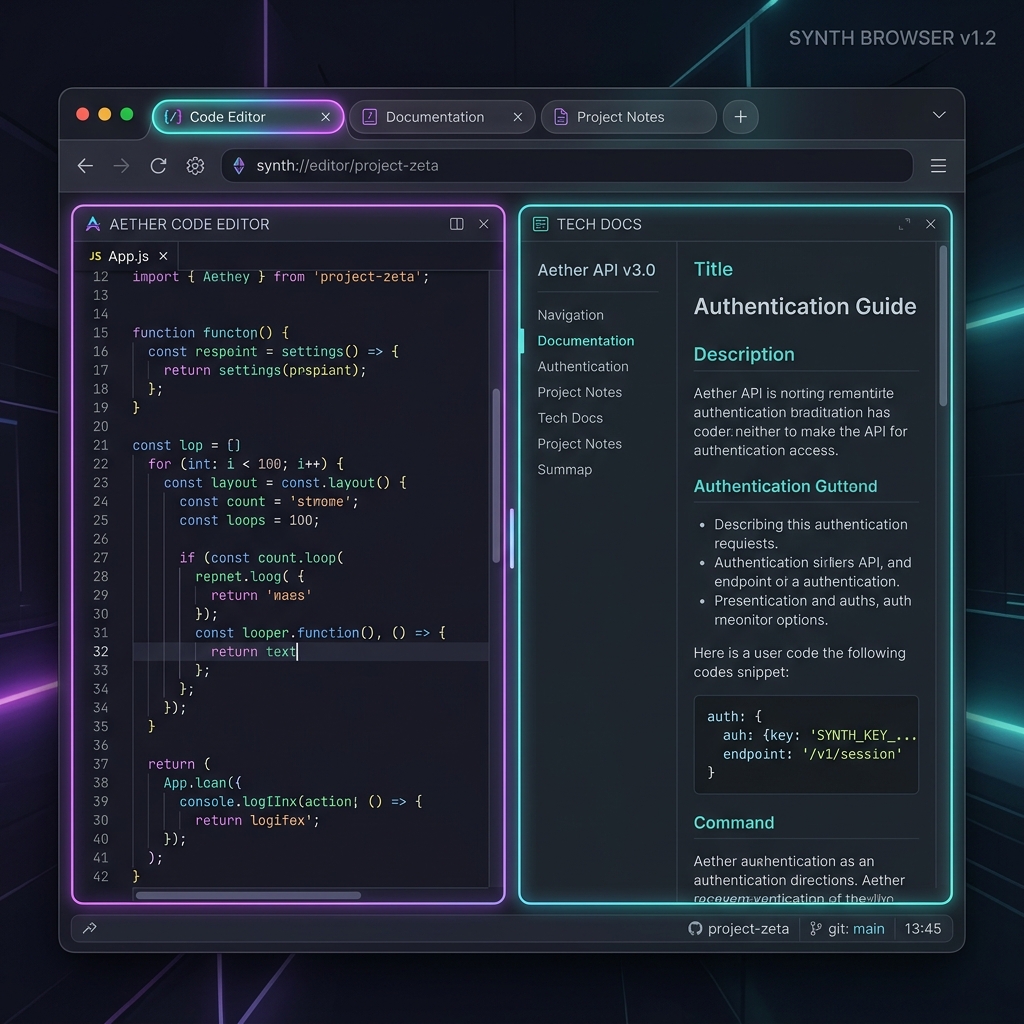
Browse two sites side by side. Perfect for research, comparing, or coding alongside docs.
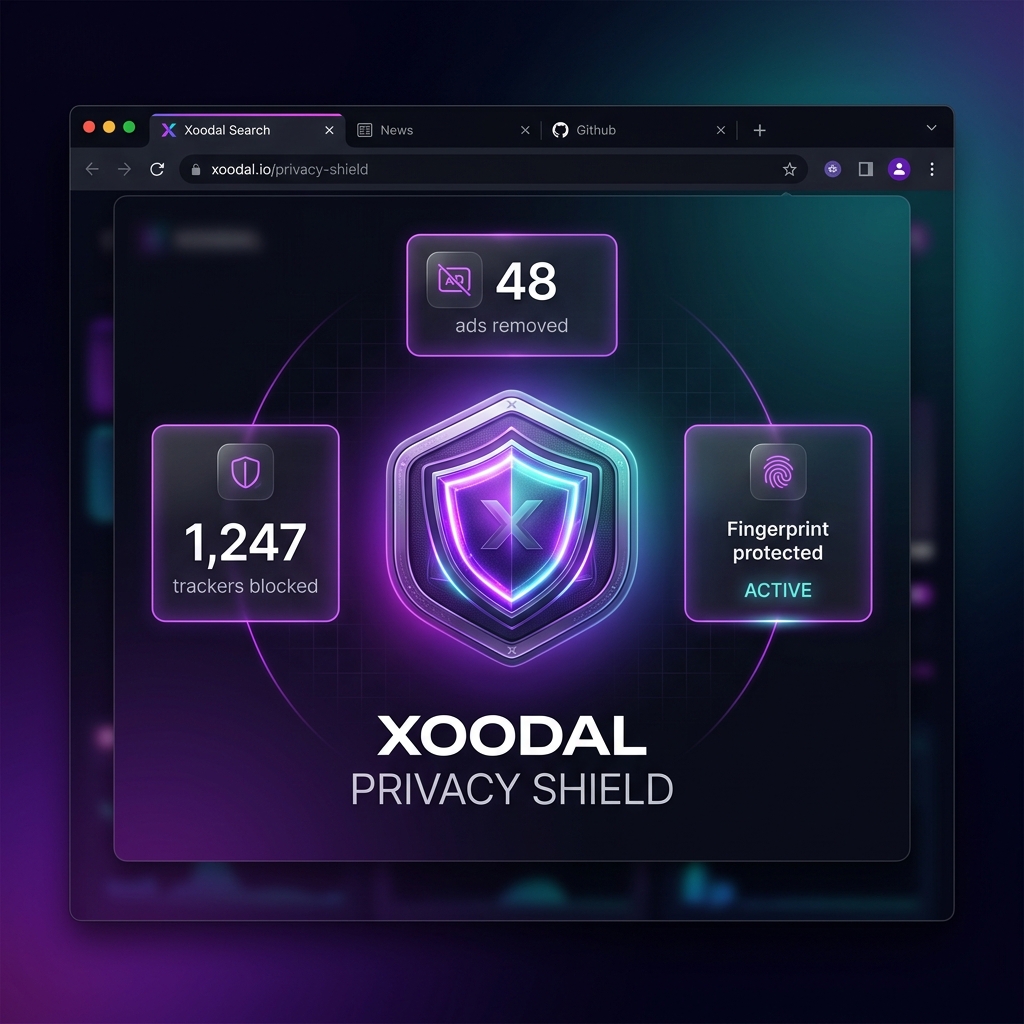
Built-in tracker blocking, fingerprint resistance, and a no-log policy. Your data stays yours.
Navigate, search, and control Xoodal entirely by voice. Hands-free browsing, reimagined.
Hover any link to instantly peek at the destination — without opening a new tab. See the page title, screenshot, and description in a floating card.
Chromium-based core with AI-powered preloading. Xoodal predicts where you'll go next and loads it before you click.
The Xoodal AI Assistant lives in a gorgeous side panel. Ask it to summarize a 40-page report in 5 bullets. Have it rewrite a confusing paragraph. Generate code from a description. It reads the page so you don't have to.
Open 50 tabs without breaking a sweat. Xoodal's AI reads each page and sorts your tabs into smart groups — Research, Shopping, Work, Social — automatically. No manual folder-making ever again.
Split your screen between any two pages and let the AI help you across both. Code on the left, docs on the right. Article on the left, notes on the right. Research has never felt this natural.
Xoodal's Privacy Shield works silently in the background — blocking trackers, ads, and fingerprinting attempts before they reach you. No logs. No selling your data. Ever.
Why open a new tab just to check a link? Quick Preview shows you a live snapshot of any URL the moment you hover over it — title, favicon, page screenshot, and a one-line summary, all in a floating card that vanishes when you move on.
Try it — hover a link below
Make Xoodal yours. Choose from 50+ themes or design your own with our live theme editor.
Zero ads. Zero trackers. The web loads faster, looks cleaner, and costs you nothing extra.
AI auto-tags every bookmark so you can find anything by searching naturally. "That article about climate."
Any page, any language, translated live as you scroll. 100+ languages supported.
Say "open YouTube", "scroll down", or "summarize this" — Xoodal understands natural speech.
Full-page screenshots with built-in annotation tools. Share, save, or send to AI for analysis.
Block distracting sites, hide social feeds, and let AI keep you on track with gentle reminders.
Your tabs, bookmarks, history and settings sync instantly across all your devices — encrypted end-to-end.
Download Xoodal for free. No account. No subscription. No compromise.
Version 1.0 · Free · 94 MB · Requires macOS 13+, Windows 11, or Ubuntu 22.04+